Composition & arrangement
Sketch melodies, patterns, or a supporting layer in a larger arrangement. Use MIDI notes to place the instrument alongside other sounds.

Velt Labs / Sample library
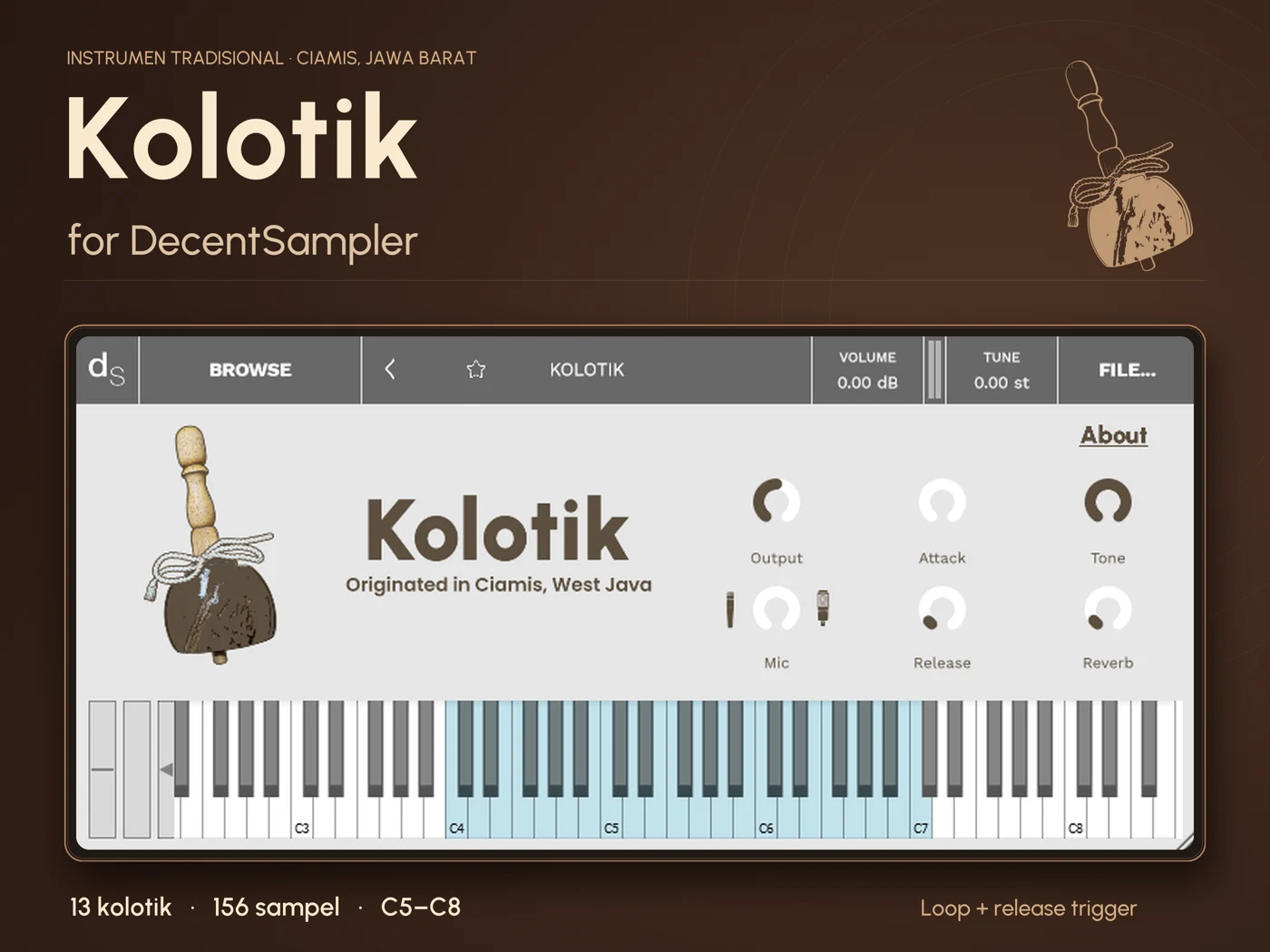
A sampled instrument for DecentSampler, bringing the sound of kolotik from Ciamis, West Java, into a digital production workflow.
Library files hosted on Google Drive. Requires DecentSampler.
Traditional sound / Digital instrument
Sampling gives a sound a place in a new workflow. Kolotik for DecentSampler records the instrument across two microphone perspectives, with multiple performances and separate release-trigger samples.
Round robin playback alternates recorded variations when notes repeat. Four loop variations and two release-trigger variations provide more variation than a single recording repeated each time. Dynamic and condenser microphones offer different recorded perspectives on the same instrument.
For Indonesian producers and composers, a sampled local instrument can become a starting point for new arrangements, textures, and rhythmic ideas. This project aims to support that exploration while retaining a clear connection to the instrument’s origin.
From library to music
Sketch melodies, patterns, or a supporting layer in a larger arrangement. Use MIDI notes to place the instrument alongside other sounds.
Experiment with a traditional timbre in independent music, electronic production, or scoring. Let the sound guide the role it plays.
Hear how microphone perspectives and recorded variations change the instrument’s presentation. Use the browser edition for a quick first listen.
Good to know
DecentSampler is a sample player by Decent Samples. It loads compatible .dspreset and .dslibrary instruments. Kolotik is a library for that player; DecentSampler provides the playback environment. Get the player from Decent Samples.
A digital audio workstation (DAW) is software for recording, arranging, and mixing music. Examples include REAPER, Ableton Live, and Logic Pro. Load a compatible DecentSampler plugin format on an instrument track, then play Kolotik with MIDI. Check the player’s current platform and format requirements before installing.
Round robin playback cycles through different recordings of a note to add variation to repeated playing. A release trigger is a sample played when a note is released, capturing the end of the sound. Kolotik has four round robins for loop samples and two for release-trigger samples.
Kolotik is a DecentSampler instrument library. To use it as a plugin inside your DAW, install DecentSampler in a format your DAW supports, then load the library within it.
Use the licence information included with the library, if provided. For any unclear usage terms, redistribution requests, or installation questions, contact Velt Labs.
Tell us about your setup, your idea, or what you would like to know.